

TribeTimeGet the app
TribeTime

Friendship Tracker

Turn hangouts into memories, relived in recaps along your tribe's journey.

Gather round the fire, chief, and listen well. Life grows busy, and even close friends drift apart. That is why this fire was lit.

Get it on Google PlayComing soon to the App Store
Scroll to lead your tribe

1. Campfire – Become a Tribe

where every journey begins

  • Lead your friends on a journey, and they will become more than friends. They will become your tribe.
  • Give each of them a look of their own, and dress them in the treasures you find.
  • But know this: a bond is not forged on a screen. Get out, see each other in person, and make it last.


2. Campfire – Keep the Fire Burning

one look tells you everything

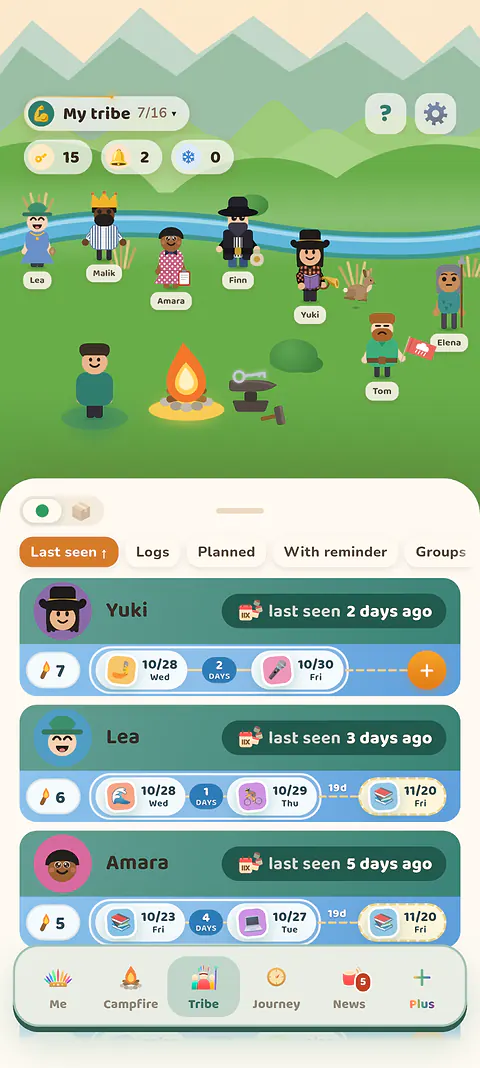
  • Every hangout adds wood to the fire, and through the week it grows tall.
  • One look at the flames tells you how your tribe is doing, and who is missing you.

3. Campfire – A Journal for Every Friendship

before the memory fades

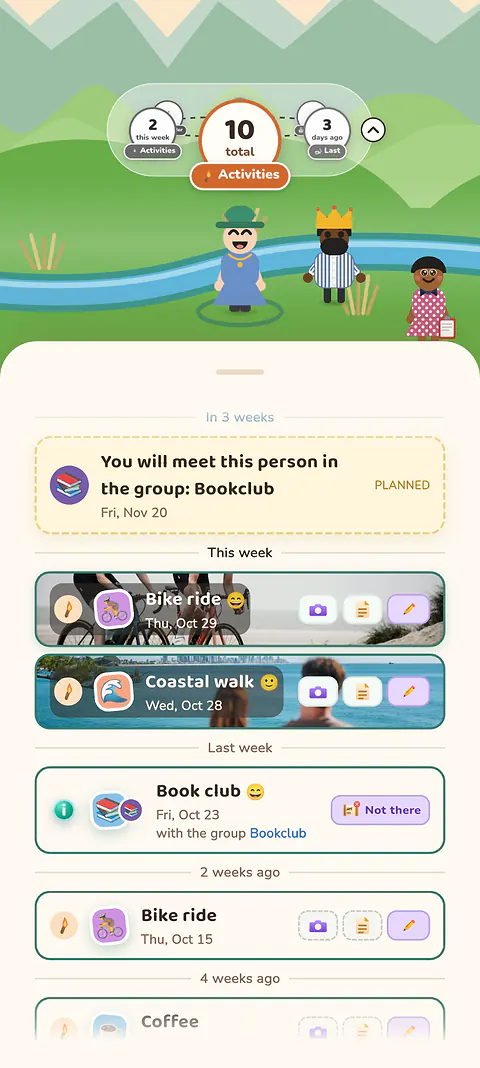
  • Capture a hangout in seconds.
  • Add a photo and a note, and mark the moments that mattered most.
  • Plan the next gathering, so it does not slip away.

4. Campfire – Gentle Reminders

the fire remembers for you

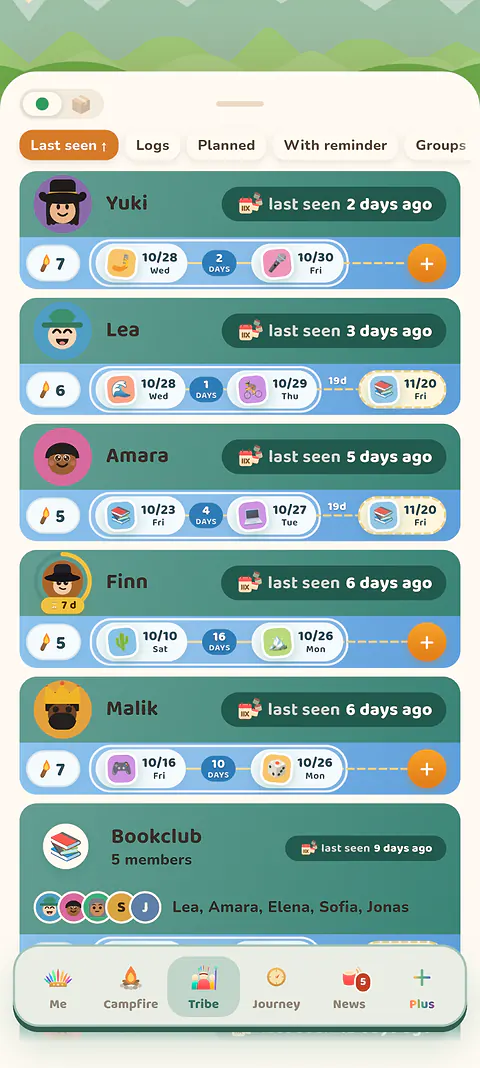
  • Tell the fire when to remind you: after 7, 30 or 90 days, or whenever you choose.
  • When a friend misses you, they raise a little flag. Do not keep them waiting.

5. Campfire – Great Recap

a journey from campfire to campfire

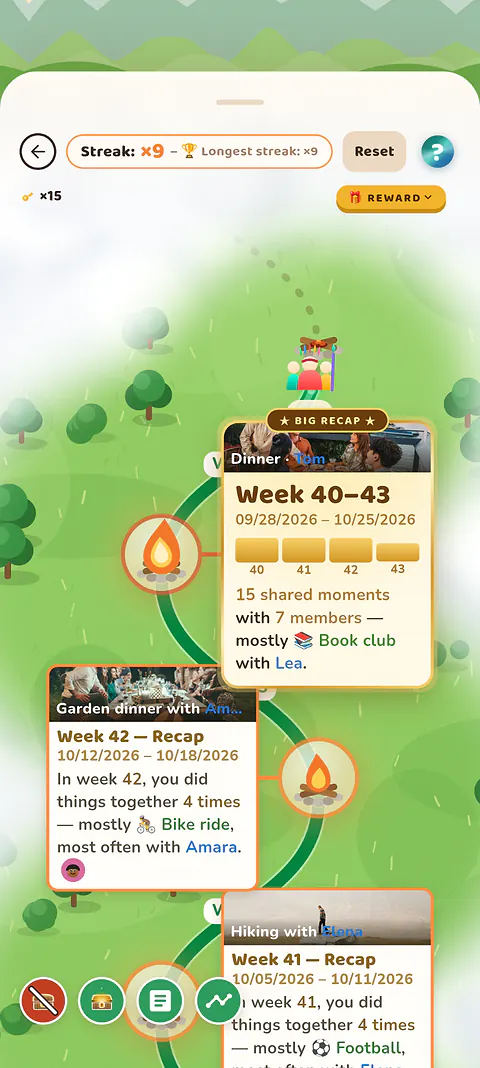
  • Every hangout carries your tribe further along the path.
  • At each campfire, we look back: who you met, what you did, and your finest moments, with your photos.
  • At every fifth fire, we tell the story of the whole journey so far.
  • The fire forges keys, and keys open chests, filled with treasures to dress up your tribe.

6. Campfire – Private by Design

no one guards the way to this fire

  • No account, no sign-up.
  • Your photos and notes stay with you, on your phone.

7. Campfire – On Your Home Screen

keep the flames in sight

  • Your fire lives in a widget, always in view.
  • Capture a hangout straight from the widget.

Questions around the fire

Good to know

Is TribeTime free?

Yes. TribeTime Plus is an optional subscription that supports the app and adds extras: up to 16 tribe members instead of 8, reminders for everyone, dark mode and golden chests with Plus costumes.

Which phones does TribeTime run on?

TribeTime is available for Android. An iPhone version is planned.

Where is my data stored?

Only on your phone. There is no account and no sign-up, and nobody else can see your tribe. Read the privacy policy

Who is TribeTime for?

For anyone aged 16 and over who wants to stay close to friends and family.

How do I cancel Plus?

In the Play Store under Profile → Payments & subscriptions → Subscriptions → TribeTime, or in the app under Settings → General → Manage subscription. Plus stays until the end of the paid period. Deleting the app does not cancel the subscription.

What happens when Plus ends?

Your tribe, your activities, the costumes you found and your journey stay. The limits of the free version apply again: if your tribe has more members than allowed without Plus, you hide some – they come back with Plus.

What is Plus Lifetime?

Pay once, no subscription. Plus Lifetime applies to all Plus features for as long as TribeTime is offered. If you have a subscription, cancel it first: once the paid period ends, the Plus tab appears again and you can buy Plus Lifetime there.

New phone or reinstalled the app?

Open the Plus tab and tap “Restore purchases”. Make sure you are signed in to the Play Store with the same Google account you bought with.

“No connection to the store”?

Check your internet. TribeTime verifies purchases through the service RevenueCat. An ad blocker or a private DNS can block this: in your Android settings, set Private DNS to “Automatic” or allow api.revenuecat.com.

How do I get a refund?

All payments go through Google Play, so you request a refund there. Google Play refund policy